Si proche et pourtant si loin
From the challenge description we have several useful information (I did not include it there because it’s quite long):
- there is a small device in a fridge that sends various metrics over bluetooth
- the payload of the bluetooth packets is surely encrypted
- there is a flag in that encrypted traffic
To solve that challenge, we have :
- a capture (in pcap format) of the exchanged packets over bluetooth
- the logs of a smarthphone which had an interraction with the embeded device
A quick look at the pcap confirms that everything is encrypted from the very start, so there is no information there for now.
Logs analysis
Because we know that our phone had an interaction with the device when there were very close from each other (less than few centimeters), I concluded that it was probably something related to NFC because almost all phones have the ability to use NFC and the distance between two devices that talk over NFC have to be really small.
When searching for a match with “nfc” in the logs, there is more than 3000 matches so I have to be more precise.
After looking at what is included in the logs when it’s about NFC, I found something interresting : nfc_hal_task: Got a event: HAL_EVT_READ(4). My guess is that it occurs when the hardware abstraction layer (HAL) want to report an event, and in our case it is a “READ” event.
Right after that line, we have that line : data_trace: Recv( 16) 81 00 0c 00 05 00 01 05 00 10 00 02 06 01 10 01 which I infered as what was sent to our phone. There is now only 68 matches of data_trace: Recv !
I tried to find payloads that are quite long (like more than 10/15 bytes) because they are more likely to contain useful data (my reasoning is that when there is very few bytes received, it might be something at the protocol level while longer packets may be words or any advertising information).
The biggest I found was a 155 bytes payload (of course I may automate the searching process, but it was fairly quick to find that one):
data_trace: Recv(155) 00 00 98 81 01 00 00 00 1e 54 02 69 64 49 44 3a 20 46 32 3a 46 38 3a 37 36 3a 32 31 3a 43 46 3a 36 45 3a 42 41 3a 32 32 01 01 00 00 00 25 54 02 61 64 46 57 3a 20 68 61 63 6b 72 6f 70 6f 6c 65 2e 66 72 2f 32 38 36 37 63 66 32 35 62 30 36 63 2e 68 65 78 01 01 00 00 00 1c 54 02 73 77 46 57 3a 20 52 75 75 76 69 20 46 57 20 36 39 34 37 36 36 61 2b 66 63 73 63 41 01 00 00 00 1b 54 02 64 74 08 1d 1b 3a 0b e7 03 a1 71 e7 74 5f 35 b4 43 12 ee fb d6 1e 96 ac 0c a3 90 00
When we decode the hexadecimal encoding, we retrieve some meaningful stuff :
idID: F2:F8:76:21:CF:6E:BA:22adFW: hackropole.fr/2867cf25b06c.hexswFW: Ruuvi FW 694766a+fcsc
The
adFWfield is the address to download the firmware of the tag !

Reverse-engineering
Something that revealed to be very useful is the last information I got : Ruuvi FW 694766a+fcsc, that allows me find the original product a RuuviTagB (at least it is the only Ruuvi product I found that look exactly as the one on the picture of the description). Thanks to that, I looked at the datasheet (RTFM is always the first thing to do) and find out that the processor is a ARM Cortex-M4F CPU (according to ARM’s website it’s a Armv7 architecture).
Time to open Ghidra now ! I loaded the .hex firmware as ARM v7 (little endian).
My first try was to match the ID I found in the the NFC data in Ghidra to see where it was used but I got nothing interesting. But maybe the firmware is open source and it would help me a lot to guess what has been modified… (yes it is :))
I found the Github of the Ruuvi firmware (here), so I cloned it to read the code and try to match with some parts of the decompiled code in ghidra.
I wanted to find where the NFC part is implemented because it’s for know the only thing I know. I naturaly look at src/app_comms.c because it’s the file that seems to be most related with that.
There were many functions that deals with NFC (some other with bluetooth also). I found the function that built what I retrieved in the logs of the phone :
static rd_status_t dis_init (ri_comm_dis_init_t * const p_dis, const bool secure)
{
    rd_status_t err_code = RD_SUCCESS;
    memset (p_dis, 0, sizeof (ri_comm_dis_init_t));
#if APP_COMMS_BIDIR_ENABLED
    size_t name_idx = 0;
    err_code |= rt_com_get_mac_str (p_dis->deviceaddr, sizeof (p_dis->deviceaddr));

    if (!secure)
    {
        err_code |= rt_com_get_id_str (p_dis->deviceid, sizeof (p_dis->deviceid));
    }

    name_idx =  snprintf (p_dis->fw_version, sizeof (p_dis->fw_version), APP_FW_NAME);
    name_idx += snprintf (p_dis->fw_version + name_idx,
                          sizeof (p_dis->fw_version) - name_idx,
                          APP_FW_VERSION);
    snprintf (p_dis->fw_version + name_idx,
              sizeof (p_dis->fw_version) - name_idx,
              APP_FW_VARIANT);
    snprintf (p_dis->hw_version, sizeof (p_dis->hw_version), "Check PCB");
    snprintf (p_dis->manufacturer, sizeof (p_dis->manufacturer), RB_MANUFACTURER_STRING);
    snprintf (p_dis->model, sizeof (p_dis->model), RB_MODEL_STRING);
#endif
    return err_code;
}
The “only” thing that will be helpful in the future is that I know that ID: F2:F8:76:21:CF:6E:BA:22 comes from the rt_com_get_id_str function. Because I had no more information to exploit, I just looked at the remaining file in the hope of finding something useful.
The next file is the app_dataformat.c and the first function is called app_data_encrypt ! Now I know that the data can be natively encrypted (so there may be only very few modifications in the obtained firmware compared to the original one). Moreover, the encryption is done with ri_aes_ecb_128_encrypt which is surely a simple AES-128 ECB encryption (or the developpers of the Ruuvi firmware are machiavellian).
After a complete reading of this file, I now that there is two modes that allow encryption : the 8 mode and the FA one.
Here is the documentation I found about the mode 8 : https://docs.ruuvi.com/communication/bluetooth-advertisements/data-format-8-encrypted-environmental
Thanks to that, I confirmed that the payloads in the bluetooth capture are encrypted in the data format 8 because the first byte of each payload starts by 0x08 as explained in the Ruuvi documentation.
Furthermore, I know how the encryption key is derived :
TESTABLE_STATIC rd_status_t
ep_8_key_generate (uint8_t * const key)
{
    rd_status_t err_code = RD_SUCCESS;
    memcpy (key, ep_8_key, RE_8_CIPHERTEXT_LENGTH);
    uint64_t device_id = 0;
    err_code |= ri_comm_id_get (&device_id);

    for (uint8_t ii = 0U; ii < 8; ii++)
    {
        key[ii] = key[ii] ^ ( (device_id >> (ii * 8U)) & 0xFFU);
    }

    return err_code;
}
The key APP_8_KEY is xored with the device ID (that I know thanks to the NFC logs).
This leads me to that conclusion : to retrieve the encrypted payload in the bluetooth packets, I have to find an AES key in that firmware.
I tried to retrieve the decompiled function that is in charge of the encryption and that surely use the APP_8_KEY to hopefully retrieve the address of the later. However my skills in reverse-engineering are at least quite limited so I wasn’t able to find it (of course the key has been changed in the firmware of the challenge, so the key is not the default one “RuuviComRuuviTag”)
Completely hopeless, I looked at the “section” of the firmware where everything statically defined is and looked for 16 continuous bytes which look random. Surprisingly, there were few parts of the section that matched what I was looking for. Quite funny that I tried to derive the key from 83bc4c126d8bb6ba393cb6dcb4789390 (hex), which revealed to be the right key later but did not work at that time because of the endianess of the device ID that I misinterpreted :).
The last thing I tried was to compile the firmware with a key I choosed, analyze it in ghidra to retrieve the location of the key and pick the bytes in the FCSC firmware at the same location to retrieve the key. This had a chance to work because the procedure to compile the firmware indicate a precise compiler to use (hopefully the compiler will produce almost the same binary).
That what I did easily thanks to the precise documentation of the firmware. I searched the key in ghidra, find the offset and… what a surprise when I realized that I got the right key the night before !!!
But wait, what was wrong ? Nothing complicated, to derive the key you just have to XOR the eight bytes of the ID with the first eight bytes of the APP_8_KEY.
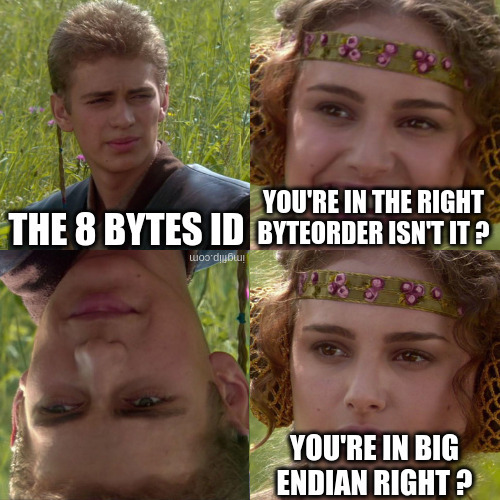
Once I tried to byte-reverse the ID, I got the right decryption… In fact, there is a CRC that is done on the unencrypted data, so if I decrypt the ciphertext and compute its CRC (according to the Ruuvi documentation), I should retrieve the right value if the decryption key is the right one. The CRC is only one byte, but there is still “few” chances that I have the right CRC with the wrong key.
Let’s extract the payload of each bluetooth packet : tshark -r btmon.pcap -T fields -e btcommon.eir_ad.entry.data > raw_packets
Now that I have the decryption key, it’s time to do a bit of python to decrypt all the packets :
from Crypto.Cipher import AES

password = b'\x83\xbc\x4c\x12\x6d\x8b\xb6\xba\x39\x3c\xb6\xdc\xb4\x78\x93\x90'

# Don't forget the endianess...
device_id = bytes.fromhex("F2:F8:76:21:CF:6E:BA:22".replace(":", ""))[::-1]

# XOR the first eight bytes
key = bytes([device_id[i] ^ password[i] for i in range(8)]) + password[8:]

with open("raw_packets", "r") as f:
	packets = []
	for line in f.readlines():
		if not bytes.fromhex(line) in packets:
			packets.append(bytes.fromhex(line))

c = AES.new(key, AES.MODE_ECB)

decrypted = []
for packet in packets:
	# The header is not encrypted nor the checksum and the MAC address
	decrypted.append(packet[:1] + c.decrypt(packet[1:-7]) + packet[-7:])

# After a quick look at the output, the flag is in the "Reserved" part of the data
flag = ""
for d in decrypted:
	# Avoid retransmissions
	if flag[-4:] != d[13:17].decode():
		flag += d[13:17].decode()

print(flag)
The output is FCSC{86bdae6f788fa47c64a8a1f7496f1255} FCSC{86bf788fa47c64a7496, so the flag is FCSC{86bdae6f788fa47c64a8a1f7496f1255} !